

The Art of Balancing Visual Elements

Chosen theme: The Art of Balancing Visual Elements. Welcome to a friendly, hands-on journey where harmony meets clarity. Explore practical ways to distribute weight, guide attention, and craft visuals that feel effortless and engaging.

Why Visual Balance Matters

Elements carry weight through size, color, contrast, and texture. A small, high-contrast icon can outweigh a larger, muted shape. Learn to sense weight intuitively, then adjust deliberately across your layout.

Why Visual Balance Matters

Symmetry calms and stabilizes; asymmetry energizes and directs. The art lies in choosing which mood your message demands, then tuning alignment, spacing, and focal points so the page feels confidently intentional.

Why Visual Balance Matters

Grids like the rule of thirds distribute attention gracefully. Place focal elements along intersections, then counterbalance with supportive details. Try it, post your result, and ask readers which arrangement breathes better.

Why Visual Balance Matters

Lorem ipsum dolor sit amet, consectetur adipiscing elit. Ut elit tellus, luctus nec ullamcorper mattis, pulvinar dapibus leo.
Color, Contrast, and Calm

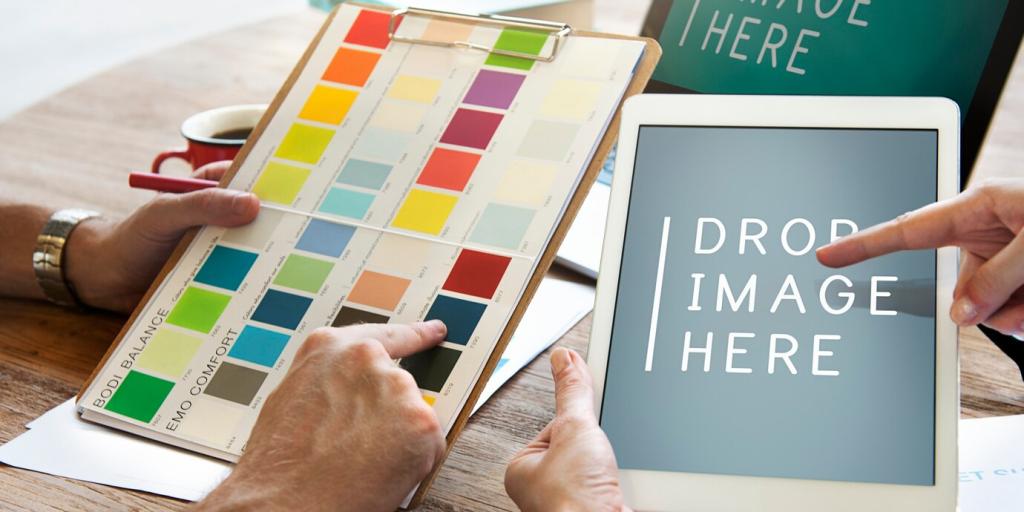
Limit bold hues to focal roles and let neutrals carry structure. A restrained palette keeps the eye moving smoothly. Comment with your go-to neutral pairings and where you allow color to sing.

Color, Contrast, and Calm

Contrast guides attention, but too much becomes visual yelling. Balance dark and light in ratios that support legibility and calm. Try a 60/30/10 split, then tweak until reading feels delightfully effortless.

Typography that Holds Its Own

Hierarchy You Can Feel

Establish clear levels: headline, subhead, body, caption. Vary size, weight, and spacing rather than piling on styles. When readers skim, they should land precisely where you intended—no guesswork, only guidance.

Pairing for Poise

Pair one expressive face with one workhorse. Contrast classification or mood, not both at once. Maintain consistent scale steps. Drop your favorite pairings in the comments so we can build a shared library.

Rhythm, Line Length, Whitespace

Aim for comfortable line lengths and generous leading. Whitespace is not empty; it balances density and breath. Post a before–after of tightened spacing and note how pacing and comprehension improved measurably.

Space, Scale, and Proximity

Breathing Room

Increase margins and internal padding until the composition exhales. Watch noisy clusters relax into readable groups. Ask a friend to scan it quickly—did their eye path smooth out and hesitations disappear?

Scale as a Balancing Lever

Upsize the true hero, downsize the extras. A single large anchor can balance many small items. Share an example where resizing alone clarified priority without adding arrows, labels, or extra colors.

Proximity and Grouping

Keep related items visibly close and unrelated ones apart. This simple rule can rescue crowded dashboards. Show your reorganized sections and note how fewer lines and boxes still increased understanding.

Flow, Rhythm, and Gestalt

Directional Cues

Angles, alignment, and image gaze subtly steer attention. Align call-to-action buttons along these pathways. Try rotating one element a few degrees and observe how the entire composition’s energy rebalances.

Repetition with Variation

Repeat sizes, shapes, or spacings to create rhythm, then vary one parameter to mark significance. Consistency persuades; variation punctuates. Comment with a pattern you simplified and the single variation that sings.

Figure–Ground Clarity

Ensure the subject separates from its background through contrast, scale, or depth. If forms merge, balance collapses. Test at arm’s length or squint—does the main shape still read instantly and confidently?

Stories from the Studio

We shifted a blazing red date stamp from the lower corner to the headline’s edge and muted two background textures. Overnight, attention settled, and ticket scans jumped without any copy changes.

Stories from the Studio

A mobile app buried actions across two bars. We consolidated into one, increased contrast for the primary button, and rebalanced spacing. Crash support requests dropped, and sessions grew longer and calmer.

Stories from the Studio

The mark leaned visually because one stroke was heavier. We trimmed thickness by a hair and widened counterspace. Suddenly it stood upright, balanced on stationery and signage alike without awkward compensations.

Five-Minute Balance Audit

Squint at your layout. Mark the heaviest area and the lightest. Adjust one variable—size, contrast, or spacing—then reassess. Repeat twice and document the changes. Share screenshots and what surprised you most.

Rebuild with Constraints

Design the same screen using only grayscale and one weight of type. Find balance using space and scale alone. Then reintroduce color sparingly. Report which accents truly earned their place and why.

Share, Subscribe, Iterate

Post your balanced composition, ask a question, and tag a challenge you want next. Subscribe for critiques and layered examples. Together, we’ll refine instincts until balance feels natural, repeatable, and delightfully human.
Emeraldandopalcollective
Privacy Overview

This website uses cookies so that we can provide you with the best user experience possible. Cookie information is stored in your browser and performs functions such as recognising you when you return to our website and helping our team to understand which sections of the website you find most interesting and useful.